利用FlashBuilder for PHP创建Flex+PHP项目
一、安装FLashBuilder for PHP
安装完成后初始化界面如下图所示:
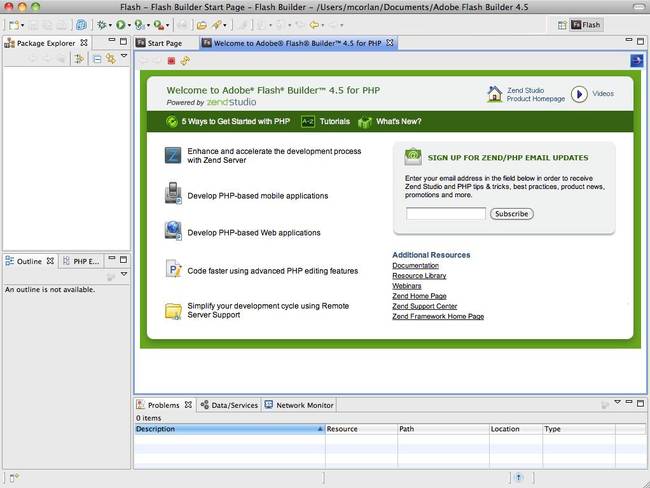
二、建立FLEX+PHP项目
1、新建项目:

由于Flex是前段展示部分,而PHP是后台服务代码,要将两部分代码进行关联,则需要将两部分代码输入路径指向服务容器。所以在新建项目前需要首先安装PHP服务容器,可以是ZendServer等,我这里安装AppServer套件。
首先是新建PHP服务端项目,指定路径和服务容器路径:

随后新建Flex客户端项目:
在该项目中,你将发现 Flex的 输出文件夹(public/bin-debug/))。 相应的SWF 文件将包含于一个 HTML 页面和一个PHP 页面,你可以使用其中任意一个页面。完成之后打开客户端项目的主文件:

三、建立Flex+PHP关联的项目
新建完项目之后,在服务端创建文件:AuthorsService.php
<?php
class AuthorsService {
public function getData() {
//in a real world application you would use a database
//and return the result set for example
$ret = array();
$ret[] = array('id'=>1, 'firstname' => 'Dantes', 'lastname' => 'Aligherie');
$ret[] = array('id'=>2, 'firstname' => 'Niccolo', 'lastname' => 'Machiavelli');
$ret[] = array('id'=>3, 'firstname' => 'William', 'lastname' => 'Shakespeare');
$ret[] = array('id'=>4, 'firstname' => 'Kevin', 'lastname' => 'Hoyt');
$ret[] = array('id'=>5, 'firstname' => 'Paul', 'lastname' => 'Trani');
$ret[] = array('id'=>6, 'firstname' => 'Renaun', 'lastname' => 'Erickson');
$ret[] = array('id'=>7, 'firstname' => 'Ryan', 'lastname' => 'Stewart');
$ret[] = array('id'=>8, 'firstname' => 'Mark', 'lastname' => 'Doherty');
$ret[] = array('id'=>9, 'firstname' => 'Mihai', 'lastname' => 'Corlan');
$ret[] = array('id'=>10, 'firstname' => 'Terry', 'lastname' => 'Ryan');
return $ret;
}
//update the entry
public function updateData($author) {
return $author;
}
//add a new entry
public function addData($author) {
return $author;
}
//delete the entry
public function deleteData($author) {
return $author;
}
}
?>好了,由于FlashBuilder for PHP注册码比较难找,这里贴上一个: 1499-4181-9296-6452-2998-3656